Every coding agent, every account, every machine.

Run Claude Agent, Codex, Factory Droid, Gemini CLI, OpenCode and any other ACP agent side by side, across your projects and machines, with several accounts each and real terminals beside them.

curl -fsSL https://ahrorbeksoft.github.io/agentZ/install.sh | sh

macOS: installs agentZ.app · Linux desktop: installs the app in ~/.local

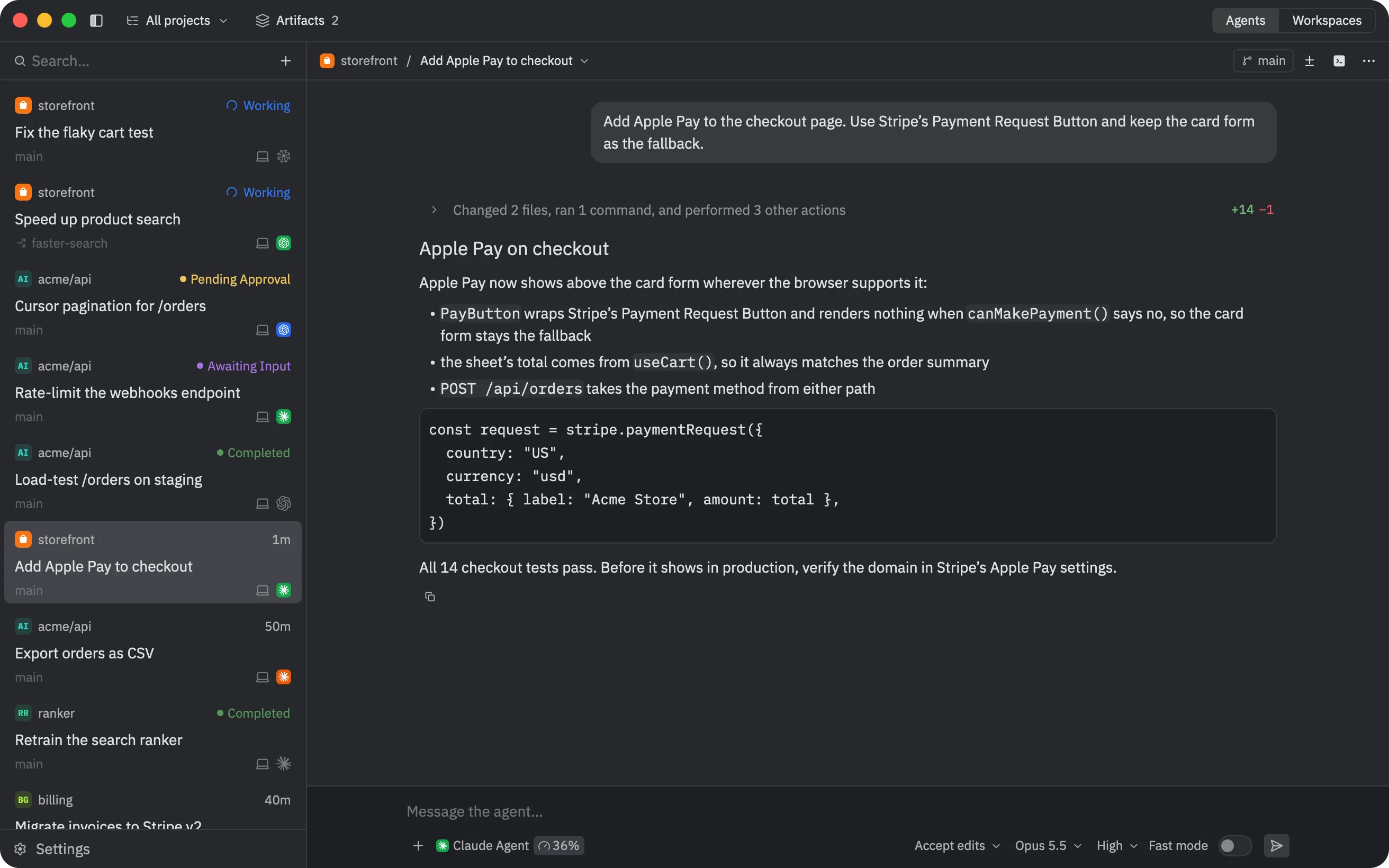
agentZ: threads from several projects and machines in the sidebar, agents working and waiting for input

What it does

Everything in agentZ, a section at a time.

Projects and threads

Every project and every thread, in one sidebar

Threads from all your projects and machines in one list, with their agent, branch, machine and state: working, waiting for approval, waiting for your answer, or done. Each thread works in the project's folder, in a new git worktree, or in a pasture: an instant copy-on-write copy of the project.

  • Diffs by turn, from checkpoints that never touch your branches
  • Pin, reorder, archive and search; titles written for you
  • Chats, for questions outside any project
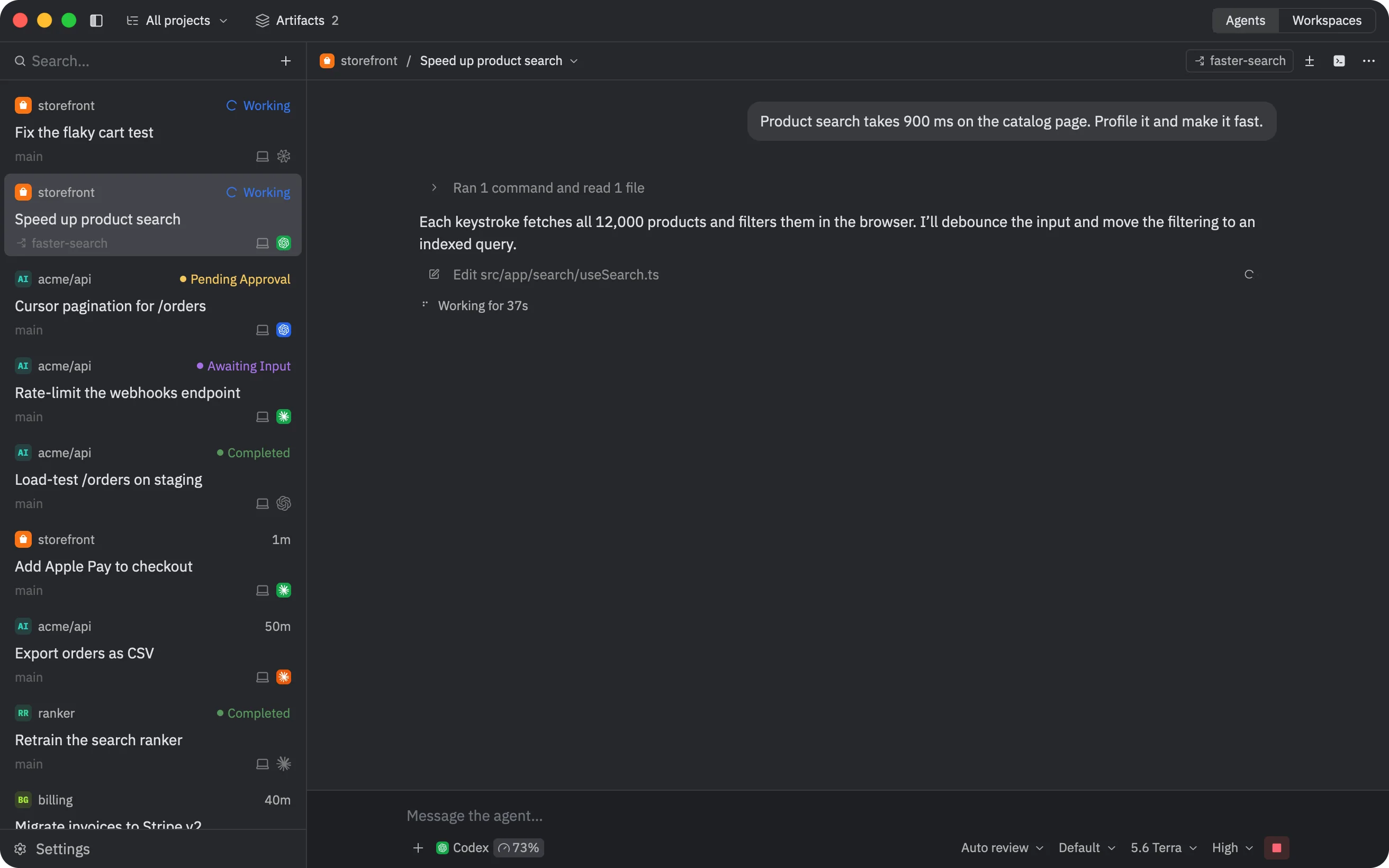
A thread at work, with threads from several projects in the sidebar

Agents

Any ACP agent, and everything it does

Install Claude Agent, Codex, Factory Droid, Gemini CLI, Copilot, Cursor, Devin, OpenCode, Amp and 30 more from the ACP Registry, or add your own command. A thread shows the agent's whole turn: its messages, tool calls with their output, edits as diffs, its plan, and the permissions and answers it asks you for.

  • Mention files, threads and artifacts with @, and paste images
  • Queue messages while it works, or steer the turn
  • Subagents run as subthreads you can open and stop
  • Import an agent's own past sessions
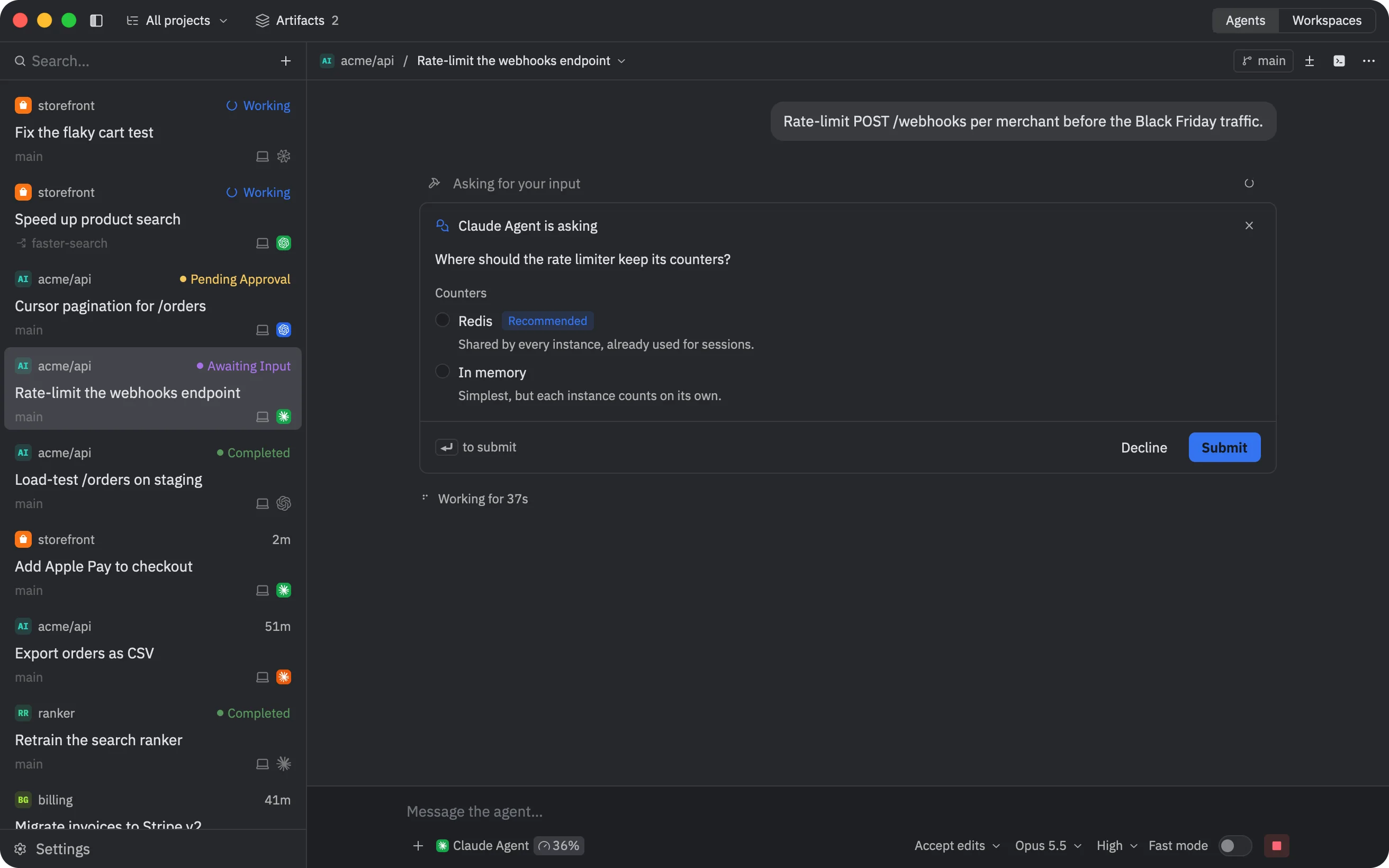
An agent asking a question in the thread, with choices to pick
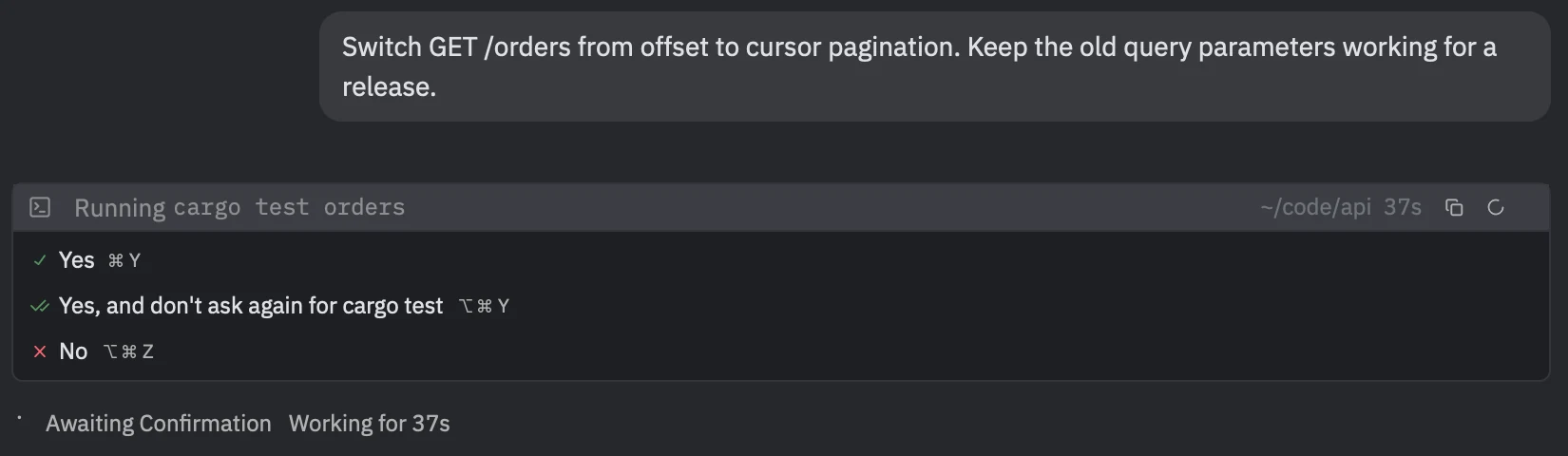
An agent asking permission to run a command

Accounts and usage

Several accounts each, and what's left on them

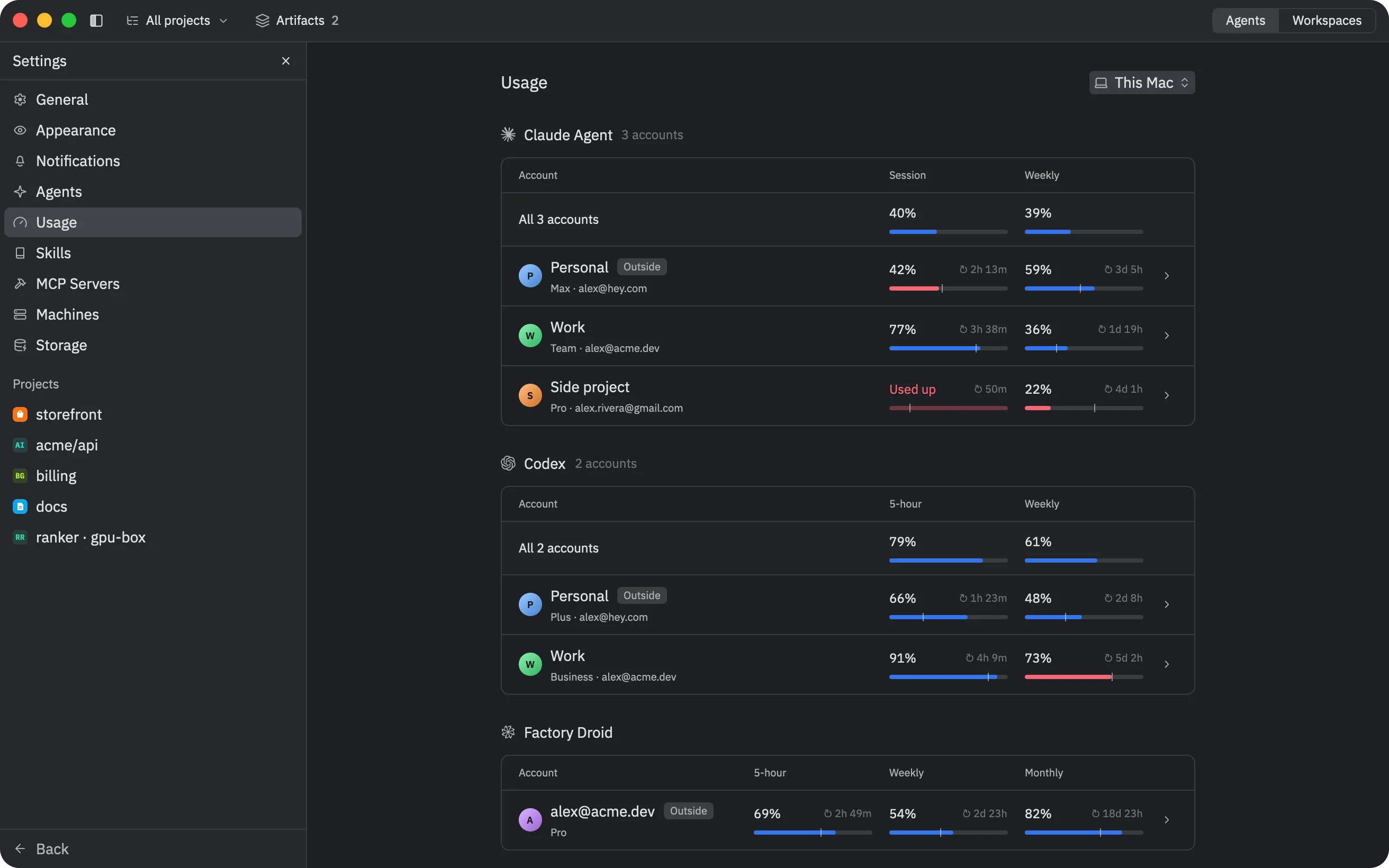
Add more logins to Claude Agent, Codex, Factory Droid, Devin, Grok Build, Antigravity and Qoder CLI. Each account runs as its own process, so threads on different accounts work in parallel. agentZ reads each account's plan and limits, and colors the bars by pace, so you see whether a limit runs out before it resets.

  • Pick the account for each thread; its color marks the thread
  • At a used-up limit, continue on the account with the most left
  • Or let agentZ continue the thread when the limit resets, even with the app closed
Settings, Usage: every account's limits, with bars colored by pace
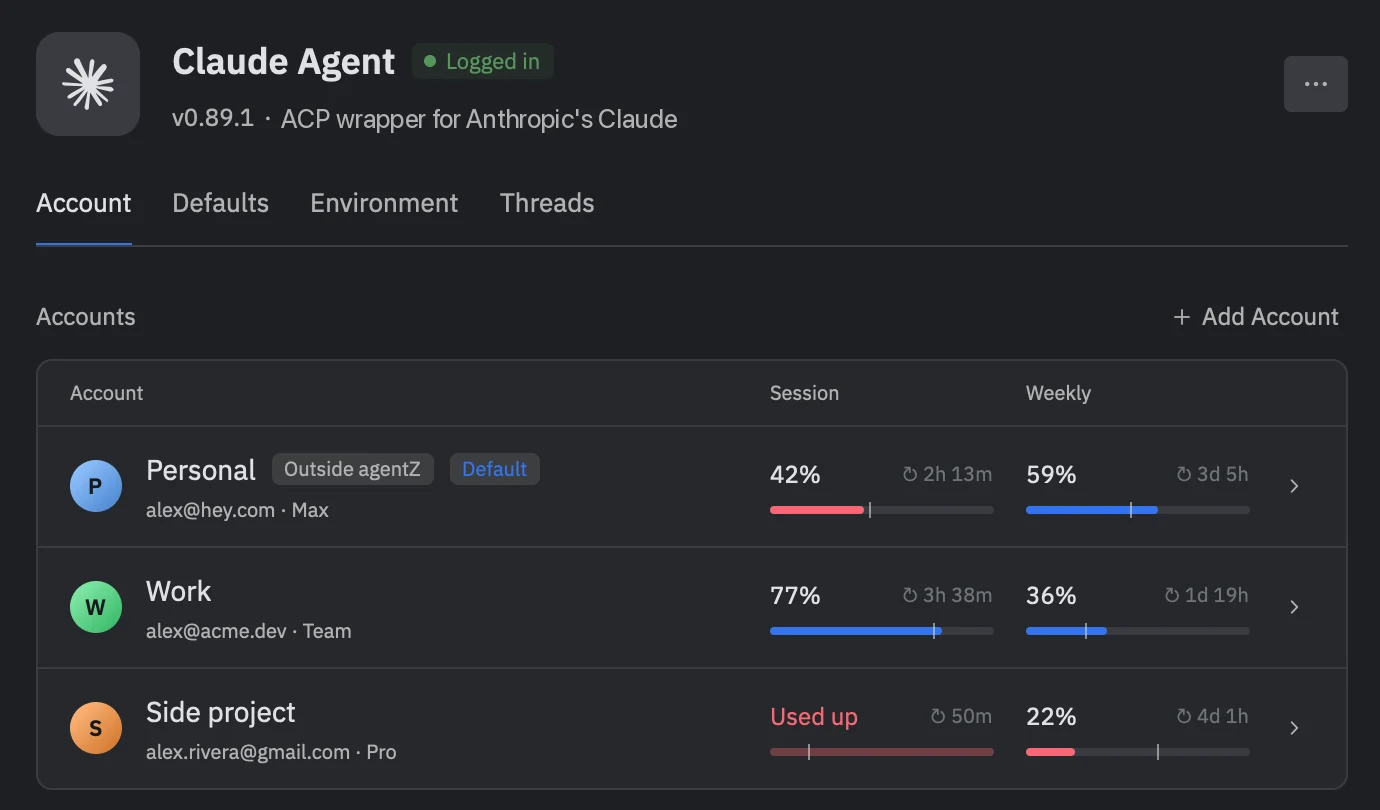
Claude Agent's three accounts with their session and weekly usage

Continue in another agent

Hand a thread to another agent

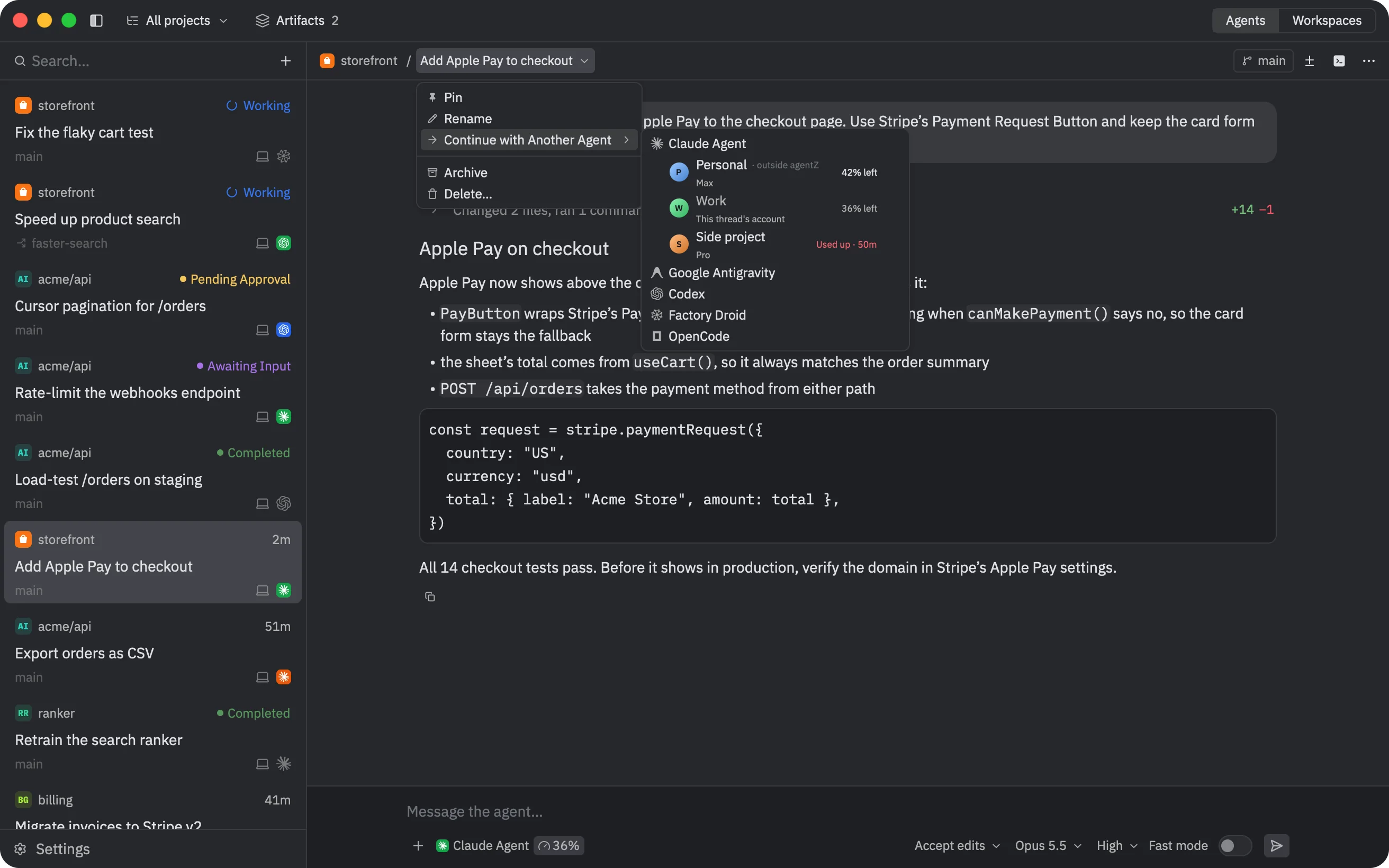
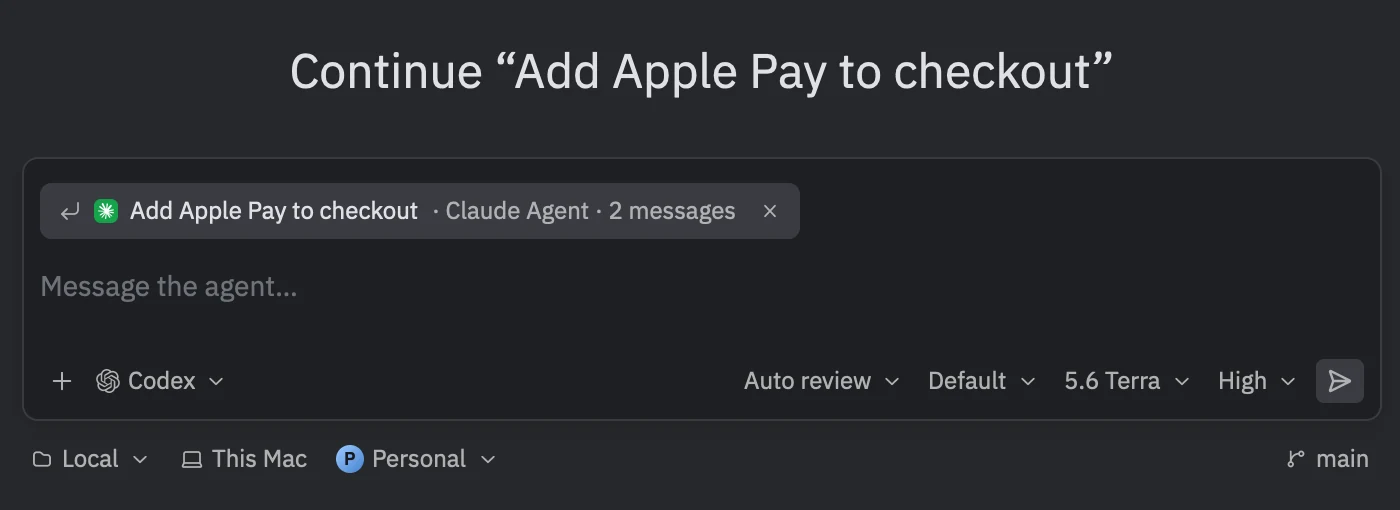
Continue with Another Agent starts a thread with another agent, or another account of the same one, in the same checkout, and gives it the conversation so far: your messages, its replies, the tools it used and its plan. You see exactly what goes before you send it, and the two threads link to each other.

  • The same checkout, so the work goes on where it stopped
  • Preview what the next agent gets
  • Continue on another account of the same agent at a limit
A thread's menu: Continue with Another Agent, listing agents and their accounts
The new thread's composer, with the conversation it continues attached

Workspaces and terminals

Terminals and agent CLIs, in split panes

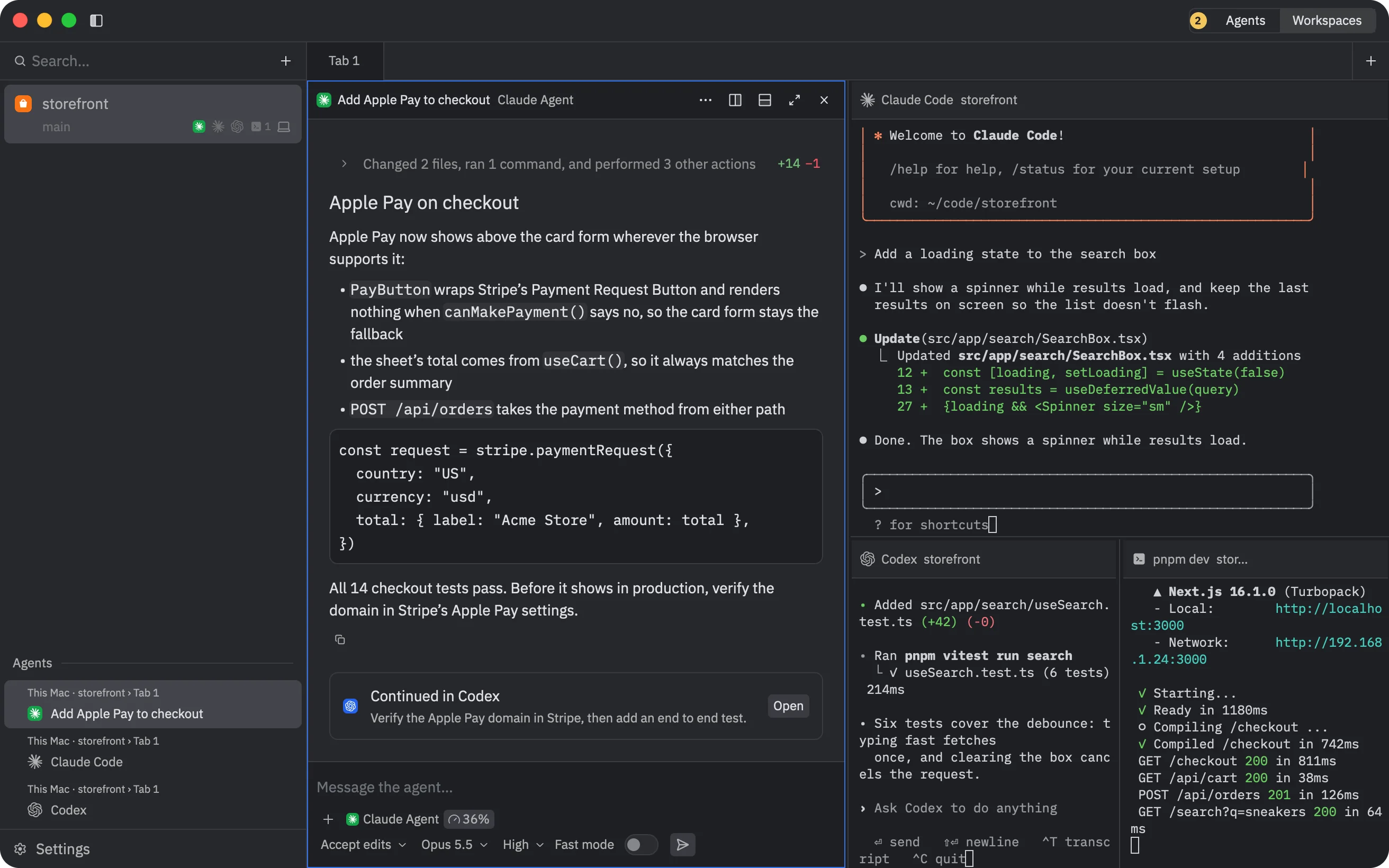
The Workspaces view holds shells, agent CLIs and agent threads in tabs of split panes, a workspace for each folder. agentZ sees when Claude Code, Codex, Droid, OpenCode or Gemini CLI is working, done or waiting for you, and tells you.

  • Save a tab's layout with its commands, and open it in any workspace
  • Worktrees group under their repository
  • Real terminals with scrollback, find and the mouse, in threads too
The Workspaces view: Claude Code, Codex and a dev server in split panes

Machines

Your servers, beside your Mac

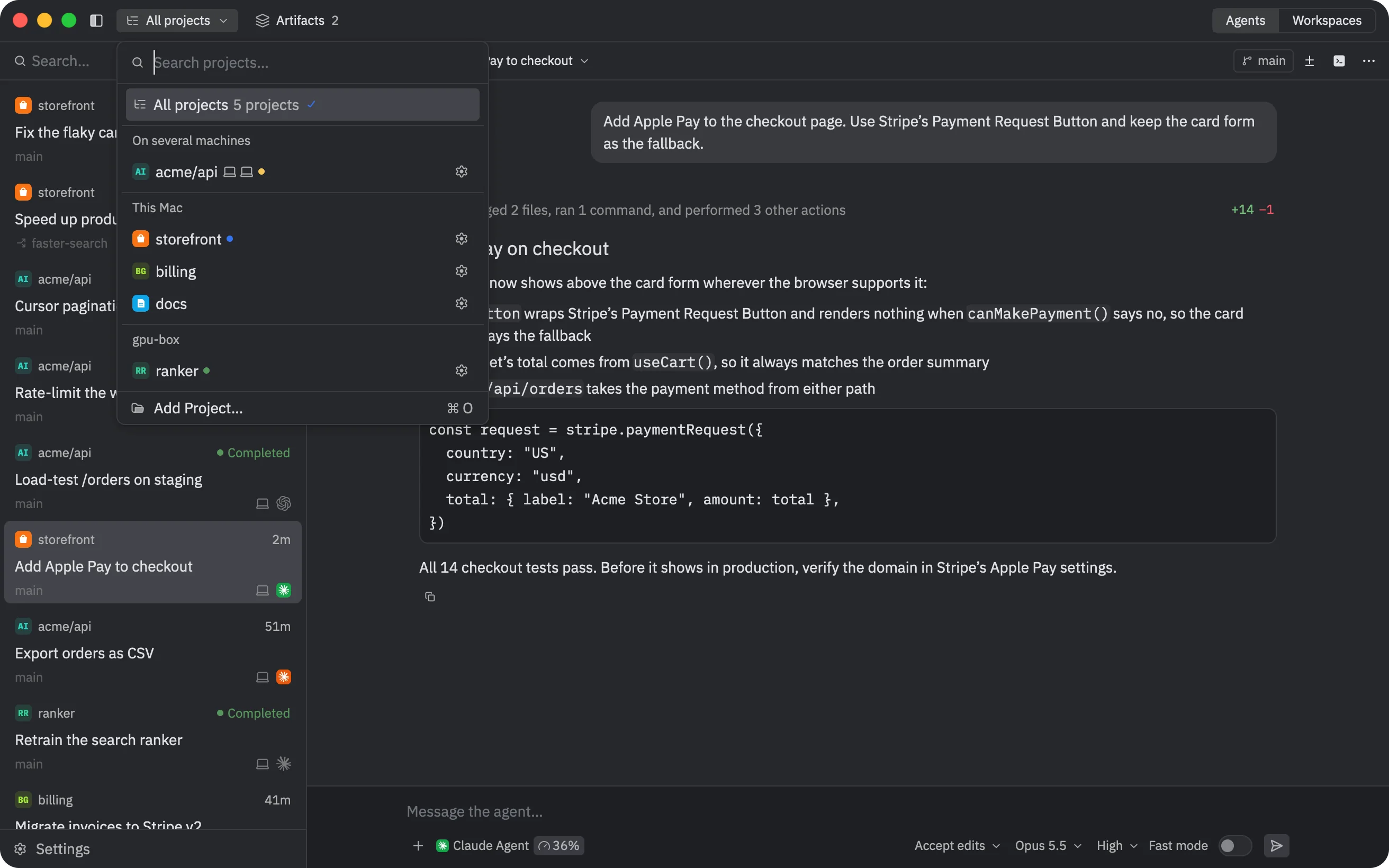
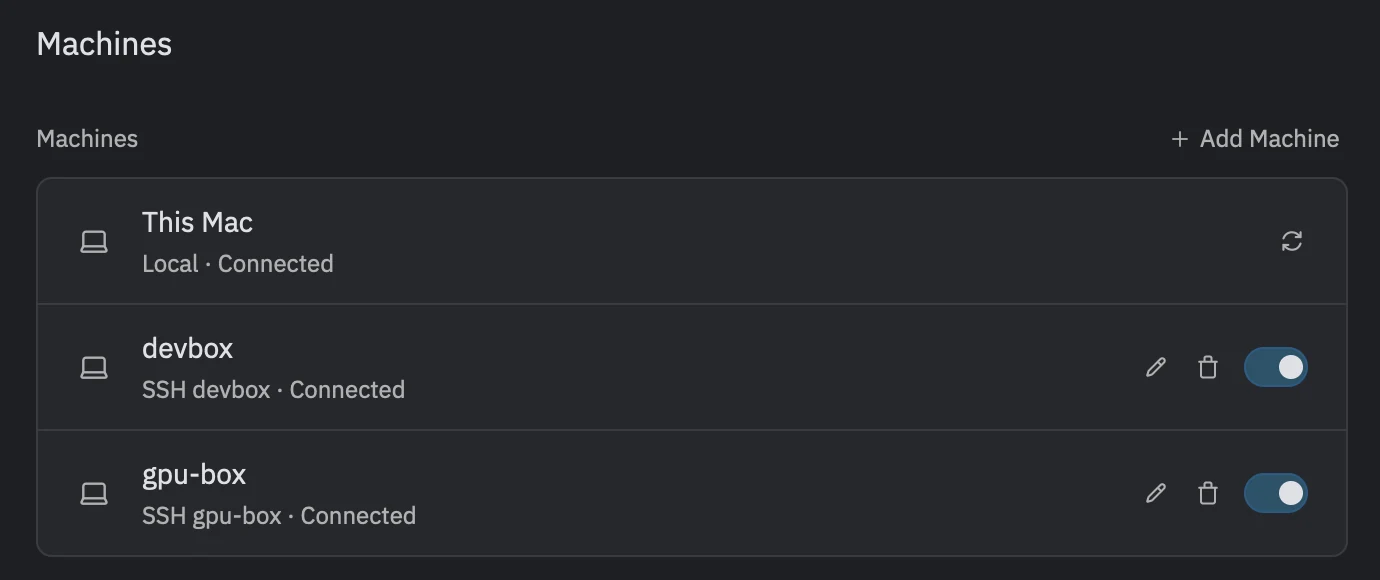
Add a Mac or a Linux machine over SSH, and agentZ installs its server there and keeps it updated. Its projects, threads, terminals and workspaces show beside this computer's. Each machine's server owns its agents, so quitting the app or losing the connection doesn't stop them.

  • One repository on several machines is one project
  • New Thread shows how each copy stands in git
  • Agents delegate tasks to another machine's copy
The projects menu: a project on several machines, this Mac's projects and a server's
Settings, Machines: this Mac and two machines over SSH, connected

Artifacts and designs

Documents and designs, in your browser

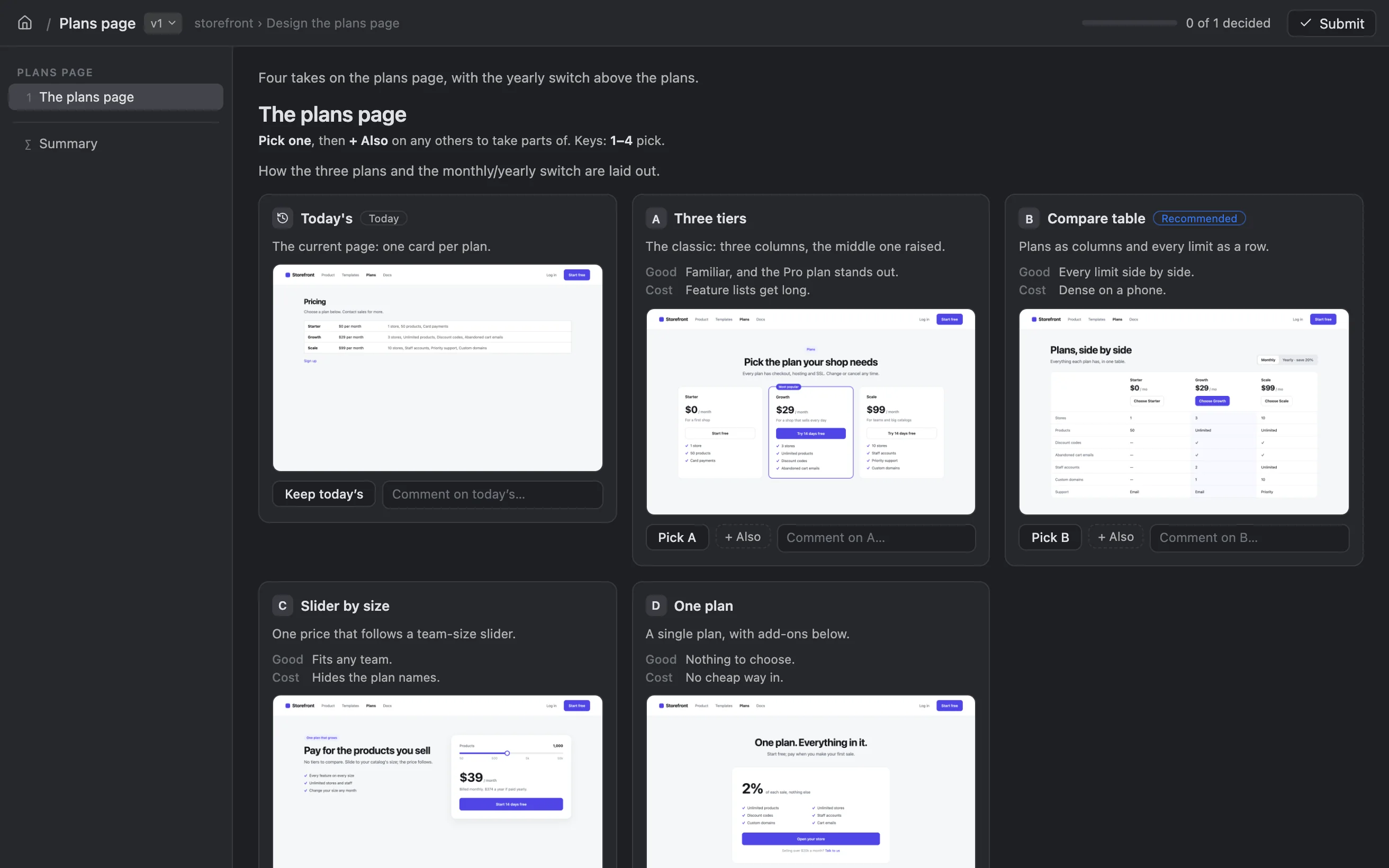
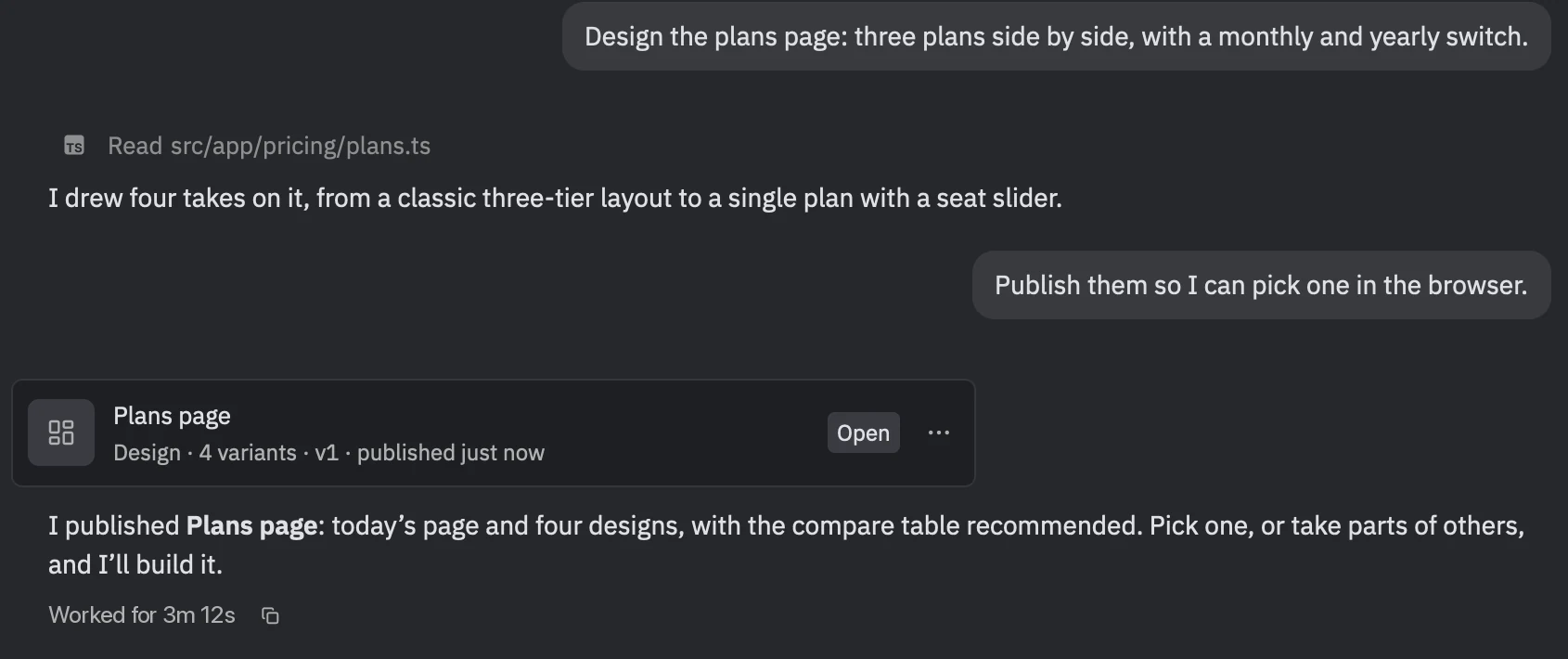
Agents publish documents and designs from any thread, and agentZ opens them in your browser, in the app's theme. A document is Markdown with files, exported to Markdown or PDF. A design is a few variants of each decision beside what's there today: pick one, take parts of others, comment, and the agent reads your picks.

  • Each publish is a new version
  • The Artifacts button lists them by thread
  • @ mentions them in any thread
127.0.0.1:52597/a/03bdf351
A design in the browser: variants to pick from, beside today's
The design's card in the thread that published it

Agent control

Agents that run other agents

Every agent gets agentZ's own MCP server, and scripts and agent CLIs get the agentz-server call command. With them an agent reads other threads, starts threads and sends them messages, delegates tasks to subthreads on this machine or another, opens terminals and runs commands, never with more permission than the thread that calls it.

  • Delegate a task to another agent, here or on another machine
  • Read and message other threads
  • Publish documents and designs
agentzMCP server · every agent, every account
agentz_thread_launchStart a thread with any agent, in any project
agentz_thread_sendSend a thread a message
agentz_thread_readRead another thread's conversation
delegate_taskHand a task to a subthread, here or on another machine
agentz_terminal_startOpen a terminal and send it keys
agentz_command_runRun a command and wait for its output
agentz_project_addAdd a project
agentz_design_publishPublish a design to pick from
$ agentz-server call delegate_task '{
    "machine": "gpu-box", "agentId": "codex-acp",
    "task": "Retrain the ranker on last week’s clicks and report the eval."
  }'

And the rest

Skills and MCP servers

Added once in Settings, they reach every agent and account.

Notifications

A sound and a notification when a thread finishes or waits for you.

Storage

What agentZ keeps on each machine, and a way to delete what you pick.

The keyboard

The command palette, Go To for every thread and pane, and a shortcuts sheet.

Zed's themes

One, Ayu, Gruvbox, JetBrains and Catppuccin, light and dark.

Free and open source

GPL-3.0, native, and built on Zed's GPUI.

Install agentZ

Free and open source. One command installs it, and runs again to update.

curl -fsSL https://ahrorbeksoft.github.io/agentZ/install.sh | sh

macOS: installs agentZ.app · Linux desktop: installs the app in ~/.local